01
A small battle strip
One brief tip and a clear Auto OFF / ON status. It stays compact during combat.
 CompanionPokéSurvivor Atlas
 Free browser extension · v1.1.1
Live tips. Clear choices.
You stay in control.
Brief battle tips, a recommendation beside the game's real choices, and full explanations when you want them.
Download for Chrome / EdgeFree ZIP · 110 KB · local installation
Download here, then load the extracted extension in your browser.
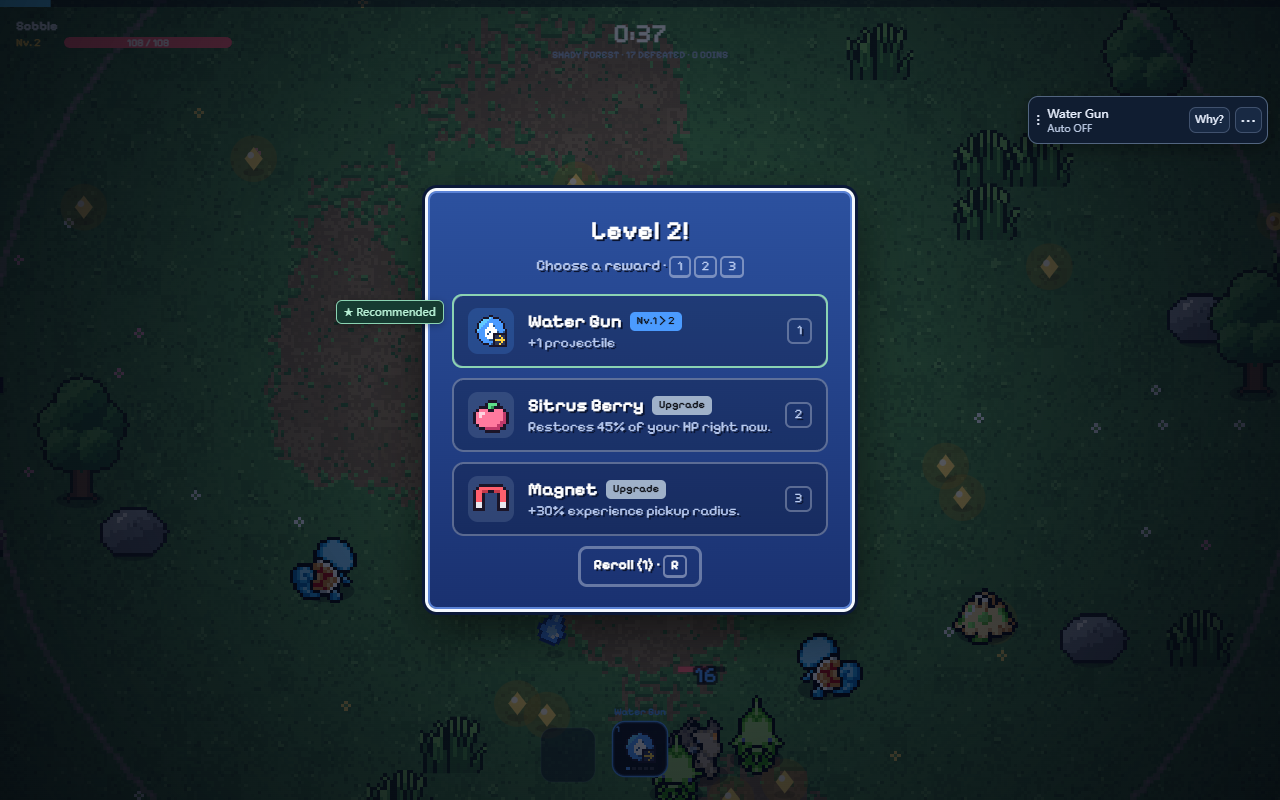
Less overlay. More game.
One brief tip and a clear Auto OFF / ON status. It stays compact during combat.
See the recommended card, item or Bond option beside the original interface. The marker never intercepts a click.
Use ⋯ for all tools, or Why? for the reasoning. Full scores, metrics and source descriptions remain available.
Eight tools. One companion.
Compare the actual offered cards, immediate benefits and build gaps.
Check move levels, cards needed this run and real golden evolution offers.
Review active groups, reach, types, weather, buff timing and switching costs.
Compare partners you own, their training and normal or owned shiny variants. Keep a preferred partner locked.
Use actual upgrade prices, a coin reserve and a preparation spending limit.
See equipment tradeoffs and follow each step of an available Bond grouping.
Review timing, distance, windows and risks. You decide how to approach and enter.
Review observed choices, confirmed actions, active time and buff gaps locally.
Your run. Your controls.
Installing Companion starts in Advice only. To allow actions, open ⋯ → Enable auto, review the categories and confirm once. After enabling, Stop remains visible on the compact strip.
Purchases, rerolls, automatic starts and restarts begin off, with separate controls and limits. Manual choices take priority.
You always handle walking, dodging, chasing, pickups and Rift entry. Actions that could automatically activate displacement moves are left to you.
Read the privacy policy →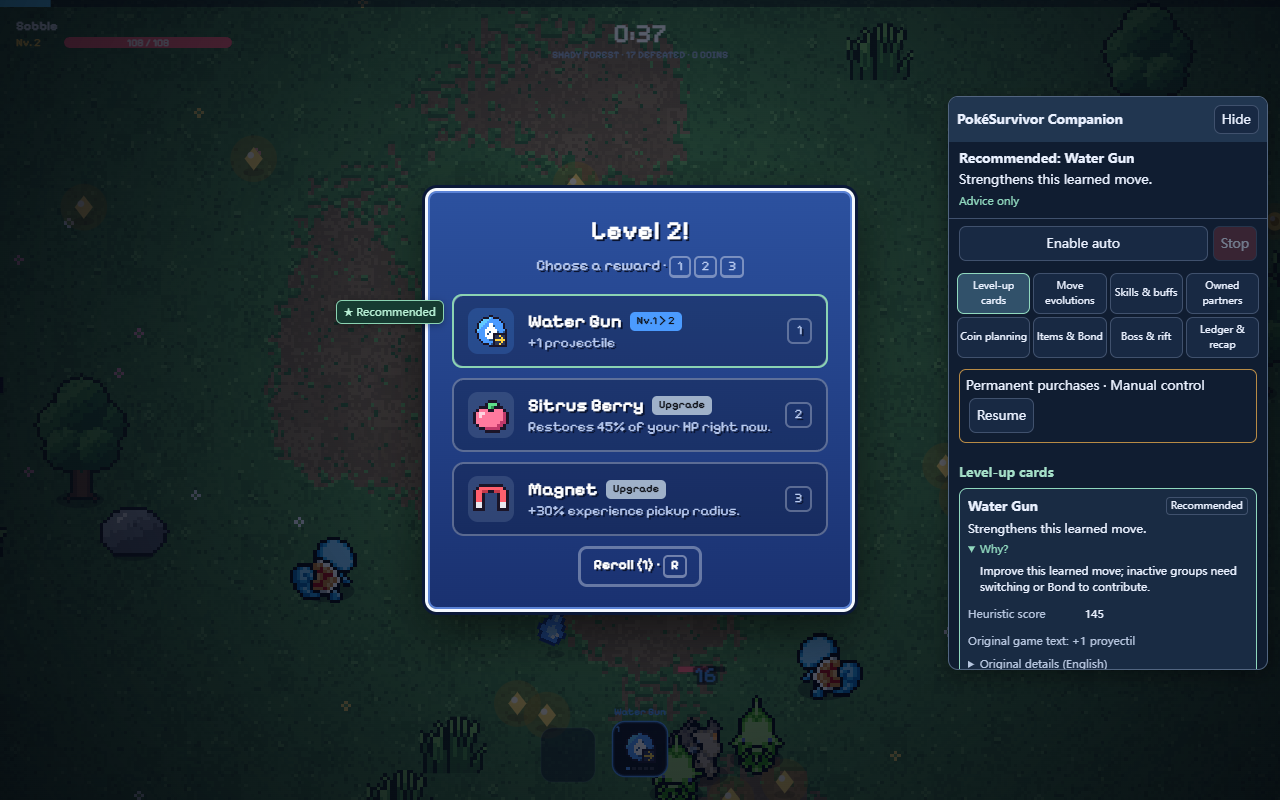
Get started
Desktop Chrome or Edge. No server, account or API key needed for Companion.
chrome://extensions or edge://extensions, turn on Developer mode, then choose Load unpacked.dist. Choose the folder containing the extension's manifest.json.This download uses manual developer-mode installation. Keep the extracted folder in place while the extension is installed. You can disable or remove it at any time from your browser’s extension manager.
SHA-2562f3d88fb6b049290488bcd30a750c5090aba9ba04a26028f9536b5e2fb181bfb
Checksum file
Before you play
Companion never moves your character. After your explicit approval, it can handle permitted card, evolution, skill, partner, item and Bond decisions. Resource and run controls require separate options. You handle positioning and survival.
No. Recommendations are heuristic estimates from current game state. They are not measured win probabilities or a guarantee of optimal play. Not every rare combination has been tested, and game updates may need extension updates.
Advice is calculated locally. Consent, settings, budgets, manual locks and bounded observations stay in extension storage. No developer analytics, remote AI, screen recording or upload queue. The original game uses its own accounts and services. See the complete privacy policy.
The extension matches pokesurvivor.com and survivorpoke.com, including matching game frames. The interface supports English, Spanish, French, German, Portuguese and Chinese. Desktop Chrome and Edge have been tested; narrow-window tests do not establish phone extension support.
Use Stop before disabling the extension if you want it to stay off when re-enabled. Remove Companion in your browser's extension manager to delete its own stored data. This does not delete the game's save or another extension's data.